6 Professional Barcode Generator Tools for UK Inventory Workflows
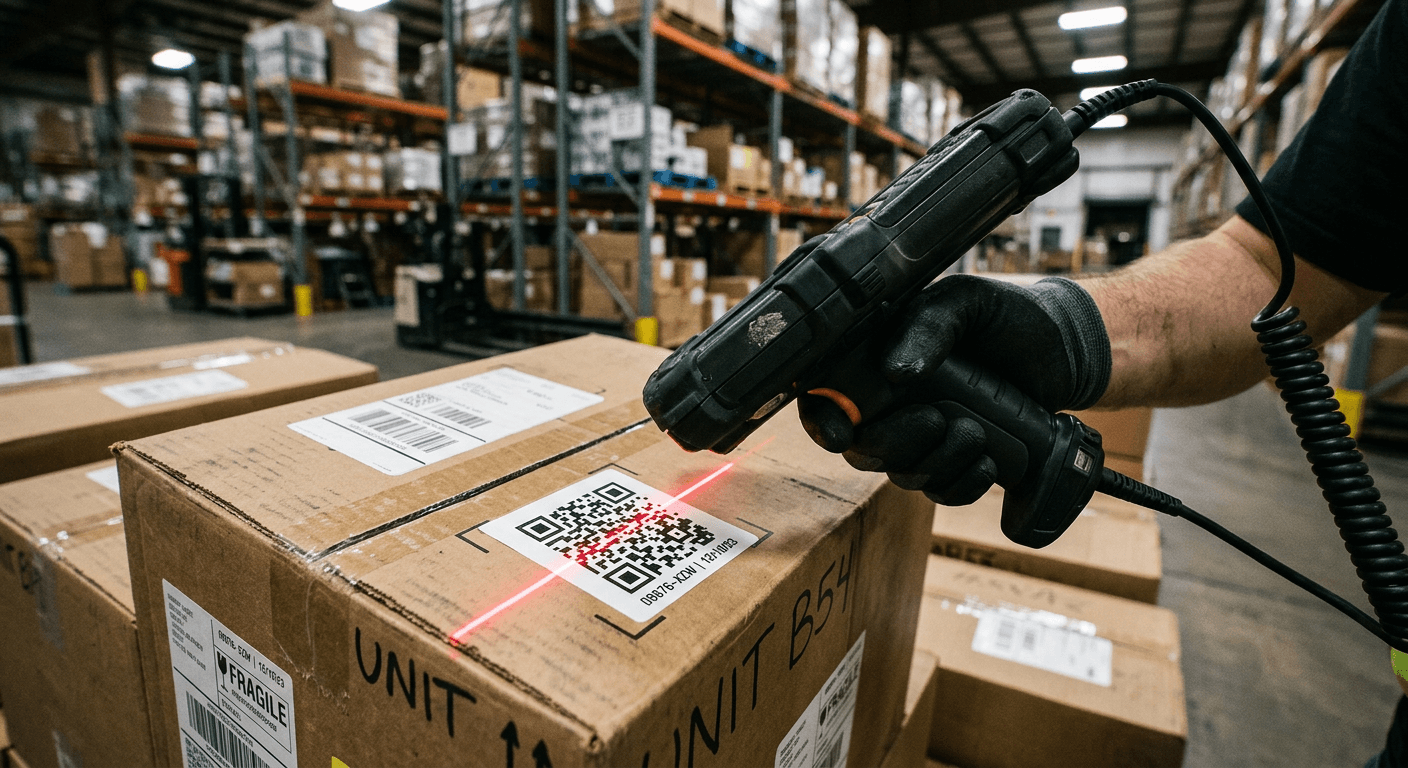
A floor supervisor receives a pallet of five thousand unmarked components, opens their preferred software, and prints the labels. Three hours later, the picking team discovers that the warehouse's handheld scanners cannot read a single printed square because the barcode generator exported low-resolution raster images that blurred under industrial lighting. That sequence of events happens constantly in logistics operations that treat label generation as an afterthought rather than a core infrastructure decision. Choosing the right tool requires understanding how the optical data actually moves from your spreadsheet to the printed substrate.
Quick Summary
A barcode and qr generator is a digital utility that translates alphanumeric product data into scannable optical patterns for inventory tracking and logistics routing. Identifying the correct technical solution prevents unreadable labels and fragmented supply chains.
- Dynamic tools route scans through a server for analytics.
- Static tools encode raw data directly into the printed pattern.
- Bulk processors manage database imports for thousands of SKUs simultaneously.
- Vector output formats are essential for retaining print clarity at varying sizes.
Table of Contents
- Matching the Tool to Your Scale
- 1. Hovercode
- 2. The QR Code Generator
- 3. qrcode.ing
- 4. RecodeQR
- 5. qrgenerator.org
- 6. Unlimited QR Codes
- Aligning Capabilities with Warehouse Realities
- Recommended Reads
| Product | Primary Workload | Features | Pros | Cons | Target Audience |
|---|---|---|---|---|---|
| Hovercode | Ongoing Analytics | Scan location tracking, custom domains, API | High scan volume limits, rich analytics, vector support | Steep tier pricing, overkill for static needs, complex setup | Enterprise logistics managers |
| The QR Code Generator | Ongoing Analytics | SOC 2 protection, ISO 27001, static/dynamic mix | Strong security, free unlimited static, clear UI | Hard limit of 2 free dynamic codes, basic paid limits | Secure corporate environments |
| qrcode.ing | Bulk Campaign Processing | Event planning, bulk uploads, programmatic generation | 24-hour unsaved access, flexible tiers, bulk focus | 3 saved code limit on free, API requires pro | Event and campaign managers |
| RecodeQR | Bulk Campaign Processing | Unique bulk generation, PNG/SVG/PDF formats | No sign-up for static, high output volume, multi-format | Static lacks post-print edits, basic interface, zero tracking | Rapid deployment teams |
| qrgenerator.org | Instant Browser Generation | CSV/Excel import, ZIP downloads, 5000 limit | Zero cost, batch processing, direct spreadsheet import | 5000 maximum ceiling, relies on user data formatting | Independent warehouse operators |
| Unlimited QR Codes | Instant Browser Generation | Local browser processing, 1000x1000 PNG, no watermark | High privacy, zero paid tiers, print-ready PDFs | 30-code bulk limit, no persistent storage, manual process | Small stockroom managers |
Matching the Tool to Your Scale
Evaluating these utilities requires looking past the visual output and examining the data handling mechanism underneath. Instead of comparing arbitrary feature counts, we separate these platforms using the classification lens of Primary Workload. This defines how the tool actually interacts with your operational data.
Ongoing Analytics platforms do not simply generate images; they operate as active routing layers. When a user scans the label, the request hits the tool's server first, logs the time and approximate location, and then redirects to the final URL. This category suits supply chains that need to know when and where a product was intercepted.
Bulk Campaign Processing platforms exist to solve the database bottleneck. A standard bulk qr code generator consumes structured text or API payloads and programmatically outputs thousands of distinct tracking patterns in a single command. This category is necessary when dealing with entire pallets of unique serial numbers.
Instant Browser Generation tools run the encoding algorithm directly within the user's local hardware rather than bouncing information to a remote server. This category is ideal for generating static, non-tracked codes where data privacy is paramount or cloud connectivity is unstable.
Before selecting a category, users should consider How to Use a Barcode Generator for Your Business to map out their exact scanning environment.
1. Hovercode
While basic tools spit out single JPEGs, Hovercode operates as an active routing layer that actively monitors engagement metrics across an operation. We would classify this platform under the Ongoing Analytics category, meaning it is built to manage the lifespan of a link long after the ink dries on the physical substrate.
This dynamic qr code generator functions by embedding a short, intermediary URL into the optical pattern. When a handheld scanner or smartphone camera resolves the image, it briefly pings the Hovercode servers to log the interaction before resolving to the destination data. According to its published pricing, it offers a free plan that includes 3 live dynamic codes, unlimited scans, and basic analytics. The Pro plan costs $12 per month and unlocks 100 dynamic codes alongside scan location tracking. For heavier enterprise demands, the Business plan costs $39 per month, supporting 600 dynamic codes and API access. The top tier, Business Plus, is priced at $99 per month and supports up to 2,000 dynamic codes across 50 custom domains.
Dynamic Tracking Comes with Scaled Commercial Tiers
The commercial scale of this platform makes it a poor casual utility. The free tier is tight. It caps you at 3 dynamic tracking labels, so even a modest product line pushes a business into a paid subscription. Operations that only need offline, static product identification should skip it. The premium here pays for server-side redirection infrastructure, and that may go unused.
Logistics teams managing high-value, trackable assets that require real-time location analytics should implement this solution.
Pros
- Provides scan location tracking on mid-tier plans.
- Supports API access for automated system integration.
- Permits custom domain implementation for brand trust.
Cons
- Free plan heavily restricts dynamic code volume.
- Steep monthly recurring cost for maximum capacities.
- Overly complex architecture for simple static labelling.
2. The QR Code Generator
According to its own published materials, The QR Code Generator protects user data with SOC 2, ISO 27001, and GDPR certifications. That matters most for buyers using the Ongoing Analytics category, where scans and inventory activity pass through a system that corporate compliance teams may need to approve.
The platform operates a mixed architecture, allowing users to output standard static patterns for offline use while providing routing infrastructure for dynamic links. Users often search for a google qr code generator, expecting basic spreadsheet functionality, but find they require this dedicated architecture for compliance. The free plan includes unlimited static patterns and 2 free dynamic codes that never expire without requiring a credit card on file. For operations needing broader dynamic capacity, paid Pro plans start at approximately $5 USD per month.
Essential Protection Supports Secure Environments
The introductory dynamic limits are strict. Static generation is generous. But the free tier stops at exactly 2 dynamic codes, which restricts teams from testing complex tracking workflows before committing financially. Some pilots will stall fast. If the operation needs to track location data for dozens of unique SKUs at once without immediate budget approval, that ceiling will halt the programme entirely.
IT compliance officers enforcing strict data privacy regulations across their supply chain should specify this certified utility.
Pros
- Maintains strict SOC 2 and ISO 27001 compliance.
- Delivers unlimited static generation at zero cost.
- Free dynamic codes do not carry expiration dates.
Cons
- Limits free dynamic generation to exactly two instances.
- Interface prioritises corporate users over rapid deployment.
- Advanced features sit behind the monthly subscription.
3. qrcode.ing
Moving from single-item tagging to entire pallet labelling creates an immediate bottleneck in file handling, which qrcode.ing addresses by focusing specifically on structured database imports. Operating within the Bulk Campaign Processing category, this platform is engineered for teams that need to turn a dense inventory spreadsheet into thousands of discrete tracking labels without crashing their browser.
The mechanism focuses on database translation rather than manual graphic design. The system parses uploaded data files and programmatically applies tracking parameters to each generated pattern. Free generation without saving them to an account is permitted, though these expire in 24 hours. The free plan supports up to 3 saved configurations. Paid plans expand this capacity significantly: 50 for Creator, 250 for Pro, and 2,000 for Business. Crucially, API workflows and programmatic generation require either a Pro or Business plan, reserving the most powerful automation for paying customers.
Practical rule: Never rely on unsaved, ephemeral links for physical inventory labels; if the server flushes the temporary data, your entire warehouse floor becomes unreadable.
API Workflows Gate the True Automation Features
The unsaved tier disappears quickly. That is the core constraint. Tracking patterns generated on the unregistered free tier vanish after 24 hours, which makes it unworkable for physical supply chains where stock may sit on a shelf for months. Real production data should stay out of it unless the account is already paid and logged in, so permanence is secured.
Operations managers handling heavy seasonal stock rotation should deploy this tool to map large databases into physical tracking tags.
Pros
- Engineered specifically to manage bulk dataset uploads.
- Scales up to 2,000 saved patterns on the highest tier.
- Provides programmatic generation via dedicated API endpoints.
Cons
- Unsaved free patterns expire in exactly 24 hours.
- API access is locked behind premium commercial tiers.
- Free saved limits are restricted to three items.
4. RecodeQR
A floor supervisor receives a new shipment of five hundred unlabelled components and needs them scannable before the shift ends, a scenario where RecodeQR thrives by stripping away the friction of account creation. For buyers leaning on the Bulk Campaign Processing category, it works as a direct bridge between a raw list of data points and a downloadable archive of optical patterns.
The system operates via a bulk processing engine that can be accessed either through an API or a direct web interface. It allows users to generate thousands of unique dynamic or static tracking squares in rapid succession. Static patterns can be generated for free without requiring a user sign-up, keeping the workflow completely frictionless for offline inventory. The platform allows downloading the generated batch in PNG, SVG, or PDF formats, which is critical for ensuring the patterns remain sharp regardless of the label printer's resolution. Understanding output formats is a key step when Exploring Popular QR Code Generator Tools for physical printing.
Frictionless Static Output Discards Analytic Potential
Relying on this tool's frictionless static generation entirely eliminates post-print flexibility. Because the data is hard-coded directly into the geometric pattern without a server-side redirect, a mistake in the spreadsheet means the physical label must be destroyed and reprinted. We would hesitate to use this for dynamic URLs that might change domain names during a product's lifecycle.
Warehouse supervisors who need to instantly convert local serial numbers into high-quality vector formats without navigating a login screen should utilise this service.
Pros
- Generates static bulk batches without mandatory sign-up.
- Exports directly into scalable vector graphics (SVG).
- Handles thousands of unique inputs in a single command.
Cons
- Static files cannot be redirected if data changes.
- Bypassing sign-up limits historical batch retrieval.
- Lacks the advanced location analytics of premium platforms.
5. qrgenerator.org
How do you turn a massive supplier spreadsheet directly into print-ready tracking squares without buying a commercial software licence? qrgenerator.org answers this by acting as a direct translation layer. As a tool in the Instant Browser Generation category, it is built to handle raw text files and output bulk imagery directly to the user's local machine.
The core mechanism is an online qr code generator that processes imported CSV, Excel, or raw text files simultaneously. The user uploads the dataset, and the system loops through the rows, encoding each string into a distinct optical pattern before compressing the entire batch into a single ZIP file for download. According to its specifications, users can generate up to 5,000 codes at once, though the platform recommends a batch size of 2,000 for faster processing. It performs this operation without any cost.
High-Volume Capacity Demands Heavy File Preparation
The hard ceiling of 5,000 items per batch dictates its ceiling in an enterprise environment. While massive for a free utility, a genuine industrial distribution centre processes tens of thousands of unique SKUs daily. If your workflow regularly exceeds this ceiling, breaking spreadsheets into smaller 2,000-row chunks will introduce unacceptable manual delays into the daily receiving schedule.
Independent distributors looking to rapidly digitise their existing spreadsheet inventories without incurring software subscription fees should adopt this processor.
Pros
- Processes up to 5,000 discrete inputs simultaneously.
- Operates entirely free without commercial software tiers.
- Packages massive export batches into a single ZIP file.
Cons
- Struggles with processing speeds near the maximum limit.
- Offers zero tracking analytics on the downloaded files.
- Requires manual dataset splitting for enterprise inventories.
6. Unlimited QR Codes
The entire generation sequence for Unlimited QR Codes executes directly within the local browser session rather than bouncing data back and forth to a remote server. We place this in the Instant Browser Generation category, as it serves users who demand total control over their data without leaving a digital footprint on a third-party cloud.
The logic operates client-side using JavaScript, ensuring the inventory data never transmits across the internet. The bulk generator tool allows users to upload a CSV file and generate up to 30 codes simultaneously. The service remains 100% free with no paid tiers, no sign-up required, and crucially, no watermarks on the generated files. It offers output formats including 1000x1000 pixel PNG, scalable SVG, and a print-ready single-page PDF. Operations managers frequently try to string together a native qr code generator google spreadsheet script, but using a dedicated local processor like this removes the coding requirement entirely.
Practical rule: Always export warehouse labels in SVG or PDF format; PNG files will anti-alias and blur when stretched across larger pallet placards, rendering them unscannable.
Privacy-Focused Operation Eliminates Cloud Storage
The bulk processing limit of exactly 30 codes per upload makes this utility impractical for scaled logistics. While the privacy aspect is technically impressive, manually uploading CSV files 30 rows at a time to label a shipment of five hundred boxes will cripple a team's productivity. We would skip this tool entirely if your daily receiving volume extends beyond a few dozen unique items.
Small retail stockroom managers who need high-resolution, watermark-free labels without compromising internal data privacy should bookmark this tool.
Pros
- Processes data locally for absolute operational privacy.
- Removes watermarks without demanding a paid subscription.
- Provides print-ready PDFs directly from the browser.
Cons
- Caps bulk uploads at a heavily restrictive 30 items.
- Lacks cloud storage for retrieving past generation batches.
- Does not support dynamic routing or scan analytics.
Aligning Capabilities with Warehouse Realities
Choosing the appropriate system is less about comparing features and more about defining where the optical data must live after it leaves the printer. You can evaluate the technical limits further by reading How to Choose and Use a Professional Barcode Generator for Inventory Management in 2026.
If your inventory requires strict Ongoing Analytics, Hovercode provides the deep location tracking necessary for supply chain auditing, while The QR Code Generator offers the certified security framework required by compliant IT departments.
If your primary bottleneck is Bulk Campaign Processing, qrcode.ing delivers the API infrastructure needed to automate massive databases, whereas RecodeQR provides frictionless, multi-format bulk output for rapid offline deployment.
If your environment demands Instant Browser Generation, qrgenerator.org can chew through massive spreadsheets instantly, and Unlimited QR Codes ensures your proprietary data never leaves your local machine.