Choosing the Right Online Signature Generator: 6 Essential Categories for Professionals
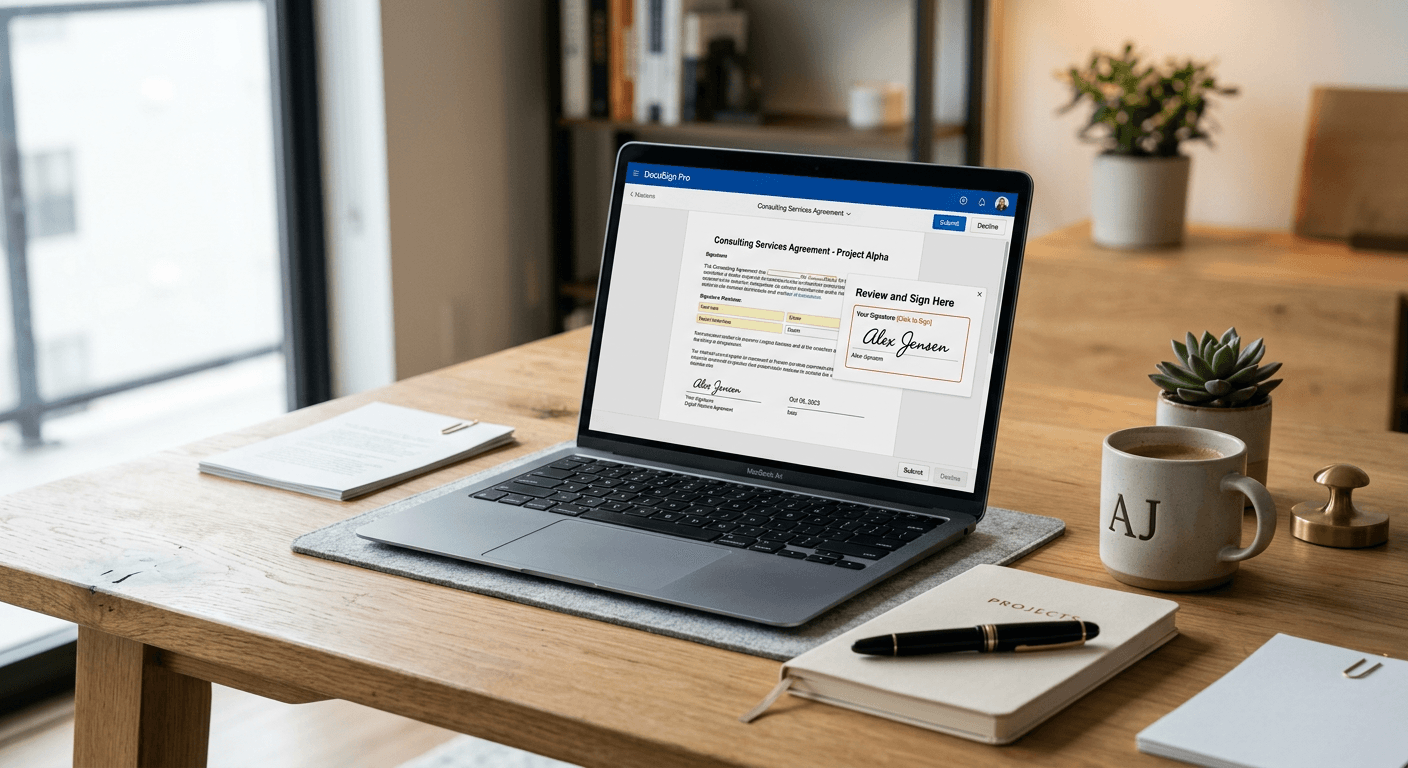
Digital authentication is a cornerstone of modern professional correspondence. Whether you are a consultant, an agency director, or an independent contractor, the ability to append a professional, legally binding mark to electronic documents is non-negotiable. An online signature generator serves as the bridge between traditional ink-and-paper workflows and a fully digitised, efficient administrative environment. By using these tools, professionals can ensure their branding remains consistent across every contract, agreement, and formal correspondence.

Quick Summary
An online signature generator is a digital tool designed to create, manage, and attach electronic representations of a user's signature to documents. These services vary from simple image-based tools to complex, legally compliant signing platforms that offer audit trails and authentication features essential for secure, remote professional document management.
- Simplifies the transition to paperless document workflows.
- Ensures professional branding through customisation and layout options.
- Provides varying levels of security, from basic images to encrypted audit trails.
- Facilitates cross-device accessibility for remote work environments.
Table of Contents
- Comparison of Signature Generation Solutions
- Basic Image-Based Signature Creators
- Legally Binding Electronic Signing Platforms
- Design-Centric Custom Signature Suites
- Enterprise-Grade Workflow Integration Tools
- Developer-Focused Signature API Services
- Industry-Specific Document Management Solutions
- Buying Guide - How to Choose the Right Tool
- FAQ
- Recommended Reads
Comparison of Signature Generation Solutions
| Feature | Pros | Cons | Target Audience |
|---|---|---|---|
| Image-Based Creators | Quick, free, no setup | Low security, no audit trail | Casual users |
| Binding Signing Platforms | Legally compliant, encrypted | Often subscription-based | Businesses, Legal |
| Design Suites | High customisation | Can be overkill for simple tasks | Creative professionals |
| Enterprise Workflows | Deep integration, scalable | Complex configuration | Large corporations |
| API Services | Custom build potential | Requires coding knowledge | Software developers |
| Industry-Specific Tools | Workflow-ready templates | Higher cost, niche features | Medical, Finance |
Basic Image-Based Signature Creators
These tools function primarily as a free signature generator for individuals who need to place a digital version of their signature into documents. They typically allow users to draw a signature using a trackpad, mouse, or touchscreen, or select from pre-defined font styles that mimic handwriting.
- Pros: Instant access, zero cost, no account management required.
- Cons: Lack of legal audit trails, easily replicable, not suitable for high-stakes contracts.
Legally Binding Electronic Signing Platforms
Designed for businesses that require adherence to regulations like eIDAS or ESIGN, these platforms provide more than just a visual mark. They generate a cryptographic hash of the document, ensuring that any alteration after signing is immediately visible. They are the standard for formal agreements.
- Pros: High level of legal compliance, tamper-evident documents, professional audit logs.
- Cons: Advanced features often restricted to paid tiers, can feel overly formal for simple tasks.
Design-Centric Custom Signature Suites
For professionals who treat their signature as part of their brand identity, design suites offer advanced styling options. These allow for colour customisation, specific pen weights, and the integration of logos or professional titles beneath the signature line, making them ideal for email footers or marketing collateral.
- Pros: Aesthetic flexibility, enhances personal branding.
- Cons: Often lacks robust security or legal backend features.
Enterprise-Grade Workflow Integration Tools
These are sophisticated document management systems that treat a signature as a single step in a larger business process. They integrate directly with CRM and ERP systems, allowing for automated routing, approval workflows, and bulk signing for high-volume document environments.
- Pros: Massive efficiency gains, seamless integration into existing software stacks.
- Cons: Significant learning curve, higher price point, requires administrative setup.
Developer-Focused Signature API Services
For organisations building their own proprietary software, these services provide the infrastructure to embed signing capabilities directly into custom-built applications. By using a secure signature generator API, companies retain full control over the user interface while outsourcing the heavy lifting of encryption.
- Pros: Total customisation of the user journey, white-label capabilities.
- Cons: Requires dedicated engineering resources to implement and maintain.
Industry-Specific Document Management Solutions
Certain sectors, such as healthcare or real estate, require specific document handling standards. These industry-specific tools come pre-equipped with templates and compliance checks relevant to their field, ensuring that the digital signature process is not just secure, but also compliant with sector-specific privacy laws.
- Pros: Sector-specific compliance, workflow-optimised for unique professional needs.
- Cons: Poor flexibility for users operating outside of the specific niche.
Buying Guide - How to Choose the Right Tool
Selecting the right tool depends on your specific risk profile. If you only need to sign internal memos or low-risk documents, a simple image-based tool is sufficient. However, if your professional activities involve client contracts, NDAs, or high-value procurement, you must opt for a solution that provides a tamper-evident audit trail. Always consider the ease of use for the recipient; if your clients find the signing process cumbersome, it can create friction in your business relationships.
FAQ
Is an online signature legally binding?
Yes, in most jurisdictions, electronic signatures are legally equivalent to traditional ink signatures provided that they adhere to local regulations regarding identity verification and document integrity.
Can I use a free signature generator for business contracts?
While a free generator can create an image of your signature, it is rarely sufficient for high-stakes business contracts because it lacks the necessary metadata and audit trail to prove document authenticity if challenged.
How does a digital signature differ from an electronic signature?
An electronic signature is a general term for any digital mark, while a digital signature uses cryptographic technology to ensure the signer's identity and the document's integrity remain unchanged.