How to change bio on Instagram and manage your account settings in 2026
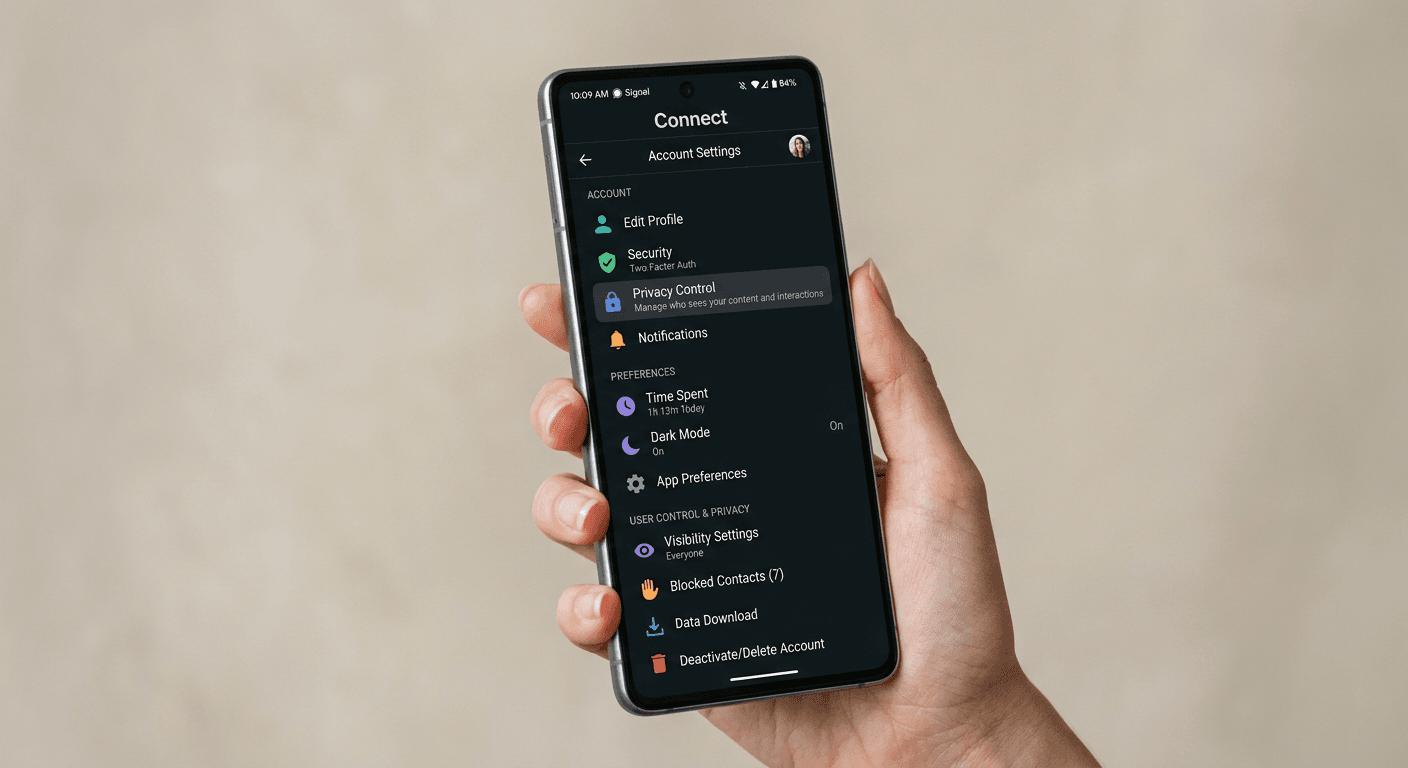
A social media manager logs into a client profile on Monday morning to update a campaign link, edits the text, and hits save - only to find the old text still loading on their colleague's phone. "The app is broken" is not a diagnosis here. Four different caching mechanisms, character limits, and connected-account overrides dictate what actually appears on a public profile. Knowing exactly how to change bio on Instagram or securely sever an account from Meta's ecosystem requires understanding how the platform's back-end handles these requests. This guide details the mechanics behind profile updates, security credential changes, and the exact protocols for account deletion.
Quick Summary
Managing an Instagram profile requires navigating interconnected Meta settings, aggressive text caching, and mandated grace periods for security actions. Profile edits must respect specific Unicode character limits, while account deletions are subject to a strict 30-day holding phase before data is permanently wiped from the servers.
- Bio changes are constrained to 150 characters, with custom fonts silently consuming multiple characters per letter.
- Username updates lock the previous handle for 14 days to prevent immediate handle-sniping.
- Password resets and security configurations are now entirely governed by Meta's centralised hub.
- Account deletion is a delayed process; logging back in at any point during the 30-day window instantly aborts the deletion.
Table of Contents
- 1. How to change bio on Instagram and manage profile text
- 2. Managing credentials in the instagram account center
- 3. The timeline for account deletion and deactivation
- Common Pitfalls & Troubleshooting
- FAQ
- Recommended Reads
1. How to change bio on Instagram and manage profile text
The public-facing profile is built from discrete database fields that do not all behave the same way. The 'Name' field is indexed for internal search queries, meaning the keywords placed there affect discoverability. The 'Bio' field, however, is strictly presentational. It allows external routing but does not impact search algorithms.
The mechanics of the 150-character limit
The biography section allows exactly 150 characters, but practitioners routinely hit errors at 100 characters because they misunderstand how the platform counts them. Instagram counts Unicode points, not visible letters. If you use a third-party keyboard to apply a bold or cursive font to your text, you are swapping standard text for mathematical alphanumeric symbols. A single letter in a special font can consume up to four Unicode characters.
To update this text, navigate to your profile, tap 'Edit profile', and tap the 'Bio' text field. Because the native app text box aggressively strips out trailing spaces and sometimes collapses line breaks upon saving, writing complex layouts directly in the app often fails.
Practical rule: Draft your profile copy in a native plain-text app on your phone, format your line breaks exactly as you want them, and then paste the entire block into the Instagram editor.
Furthermore, the bio field is no longer the place to drop raw URLs. The platform restricts external routing to its dedicated links section. If you want to drive traffic effectively, you should map the profile to an Instagram Link in Bio Tool to bypass the platform's single-URL limitation and route users cleanly without consuming your 150-character text allowance.
Username transitions and the 14-day lock
Understanding how to change your instagram username requires planning around the platform's handle-protection mechanism. Your username is your unique identifier (the @handle). When you change it via the 'Edit profile' menu, two things happen immediately on the server side: the new handle is assigned to your unique user ID, and your old handle is placed into a 14-day quarantine.
During this quarantine, no other user on the network can claim your old username. This is designed to allow you to revert the change if you made a typographical error or if a brand migration is aborted. However, if you are moving a handle from one of your accounts to another (for example, moving a brand name from a placeholder account to a main account), you cannot do this instantly. You must change the placeholder account's username, wait exactly 14 days for the lock to expire, and then immediately claim it on the primary account before a third-party bot registers it.
2. Managing credentials in the instagram account center
Security settings are no longer isolated to the local app environment. Meta has migrated all authentication protocols into a unified dashboard. If you attempt to alter a password via the legacy application settings, the interface will force-route you to this external web wrapper.
Detangling linked Meta profiles
The instagram account center is the central node where Facebook, Messenger, Horizon (VR), and Instagram permissions overlap. This integration means that an identity compromise on one platform frequently compromises the others via Single Sign-On (SSO) tokens.
Before modifying security settings, check which identities are bound together. Navigate to Settings and privacy > Accounts Center > Accounts. If a client's personal Facebook profile is linked to a corporate Instagram account here, the corporate account inherits the security posture of that personal Facebook page. If the social manager leaves the company, their SSO token might remain valid even if the core passwords are changed. You must manually remove the connected profiles from this menu to sever the token exchange.
Executing a password reset safely
When a team needs to know how to change your instagram password, they often try to trigger a reset link via email. This is the least secure method because it relies on the email provider's security. The correct method is to execute the change from within an authenticated session.
In the Accounts Center, navigate to 'Password and security' and select 'Change password'. You must select the specific account you wish to modify, as the unified dashboard will list all connected profiles. The system requires the current password to authorise the change.
If you do not have the current password, you must use the 'Forgotten your password?' link, which triggers an out-of-band verification challenge. Crucially, changing the password does not automatically terminate existing sessions on all devices. To ensure former staff or compromised devices are removed, you must subsequently navigate to 'Where you're logged in', select all unfamiliar device tokens, and manually revoke them.
3. The timeline for account deletion and deactivation
Removing a presence from the platform is deliberately complex. Users often mistake removing the application from their phone for account deletion. Deleting the application leaves the database records, public profile, and searchable handle entirely intact.
Securing your archive before deletion
Before you initiate the process to delete your instagram account, you must secure the historical data. Once the deletion timer expires, Meta purges the database records, and customer support cannot restore the imagery, direct messages, or follower lists.
Navigate to Your activity > Download your information. You must request a complete archive in JSON format if you intend to import the data into another database, or HTML format if you merely want a readable offline copy. The platform takes up to 48 hours to compile this file and sends a secure download link. Do not proceed to the deletion steps until this ZIP file is safely stored on a local drive.
The 30-day server purge window
The platform offers two distinct off-ramps: deactivation and deletion. Deactivation is a temporary flag. It hides the profile from public view and search results, but retains all database entries immediately available for reactivation the next time you log in. You are limited to deactivating an account once per week.
If you need to know how to delete your instagram account completely, the path is hidden deeply within the settings matrix. You must navigate to Accounts Center > Personal details > Account ownership and control > Deactivation or deletion. Select the account, choose 'Delete account', and provide a reason from the mandated dropdown list.
This is where understanding how to permanently delete your instagram account becomes critical: clicking the final confirmation button does not permanently delete the account that day. Instead, it places the profile into a 30-day soft-delete status. The profile disappears from public view instantly, but the data remains intact on Meta's servers.
If you log into the application or authenticate via a connected third-party app at any second during this 30-day window, the database immediately clears the deletion flag and restores the account to full active status. If you are managing this for a brand and setting up a new infrastructure, such as deploying a custom domain for your link in bio on a fresh profile, you must ensure no automated scheduling tools or analytics dashboards attempt to scrape the old account during this 30-day period, as their API calls can trigger an accidental reactivation.
Common Pitfalls & Troubleshooting
When profile updates or security changes fail, users typically blame the application. In practice, the failure stems from one of four specific system conflicts. Diagnosing the exact symptom saves hours of unnecessary reinstallations.
The Phantom Username Lock
- Symptom: You attempt to claim a username that belongs to one of your other accounts, but the system rejects it as "unavailable" even though you just changed it.
- Diagnosis: The 14-day quarantine is active. The handle is technically unassigned, but the previous owner's user ID holds an exclusive reservation ticket for it.
- Fix: You cannot bypass this. You must calendar a reminder for exactly 14 days down to the hour of the original change, and claim the handle the moment the quarantine drops.
The Authentication Loop
- Symptom: Tapping 'Password and security' flashes a white screen and dumps you back into the main settings feed without loading the unified dashboard.
- Diagnosis: The iOS or Android system browser is holding a corrupted SSO token from a different Meta application (usually Facebook or Messenger) that is conflicting with the current session's headers.
- Fix: Do not reinstall the app. Open your phone's default web browser (Safari or Chrome), navigate to the web version of the platform, clear the browser cookies specifically for the Meta domains, and try the menu again. The most common fix is executing the password change entirely on a desktop browser.
Bio Formatting Collapse
- Symptom: You save a carefully spaced, multi-line biography, but the public profile displays it as a single, disorganised paragraph.
- Diagnosis: The application's text parser aggressively sanitises trailing whitespace. If a line ends with a space character before the carriage return, the parser deletes the carriage return entirely during the database write.
- Fix: Open your plain text editor. Delete the invisible space immediately following the last letter of your sentence, hit enter for your line break, and paste the corrected block back into the application.
The Zombie Account Recovery
- Symptom: A month after requesting permanent deletion, the profile is visible again.
- Diagnosis: A connected service (like an automated cross-posting tool, a follower analytics app, or a social media management dashboard) used its stored OAuth token to poll the account for data during the 30-day grace period. Meta's servers interpreted this API handshake as a valid login attempt and cancelled the deletion.
- Fix: Before initiating the deletion process again, you must go to Settings > Website permissions > Apps and websites, and actively revoke the tokens for every single connected third-party service. Once the list is entirely blank, submit the deletion request again.
FAQ
Can I change my bio from a desktop computer? Yes. Navigating to your profile on the web application and clicking 'Edit profile' allows you to bypass the mobile keyboard entirely. Desktop browsers often handle line breaks more reliably than the mobile application, making it the preferred method for complex text formatting.
Does changing my password automatically log out other devices? No, it does not happen automatically by default. After resetting your credentials, you must actively choose the option to review logged-in devices and manually terminate unfamiliar sessions. If you skip this step, devices holding valid session cookies may remain connected.
How long does it take for a changed username to become available to someone else? Exactly 14 days. During this window, only the original account holder can revert to the previous handle. Once the 14 days expire, the handle enters the public pool and can be claimed by any user on a first-come, first-served basis.
What happens to my data immediately after I request an account deletion? The data is soft-deleted. The public profile, comments, likes, and follower lists disappear from the front-end interface immediately. However, the raw data sits in a holding partition on the servers for 30 days. If the deletion is not aborted, the data is then queued for permanent overwrite, which Meta states can take up to 90 additional days to clear from their backup storage.
Why is my custom font cutting my text limit in half? The database measures length in Unicode characters. Standard alphabetical letters use one character point. Custom fonts generated by third-party keyboards rely on complex mathematical symbols to render cursive or bold styles, which can require up to four character points per visible letter, rapidly exhausting the 150-character limit.