How to Manage Your Instagram Links and Profile Discovery
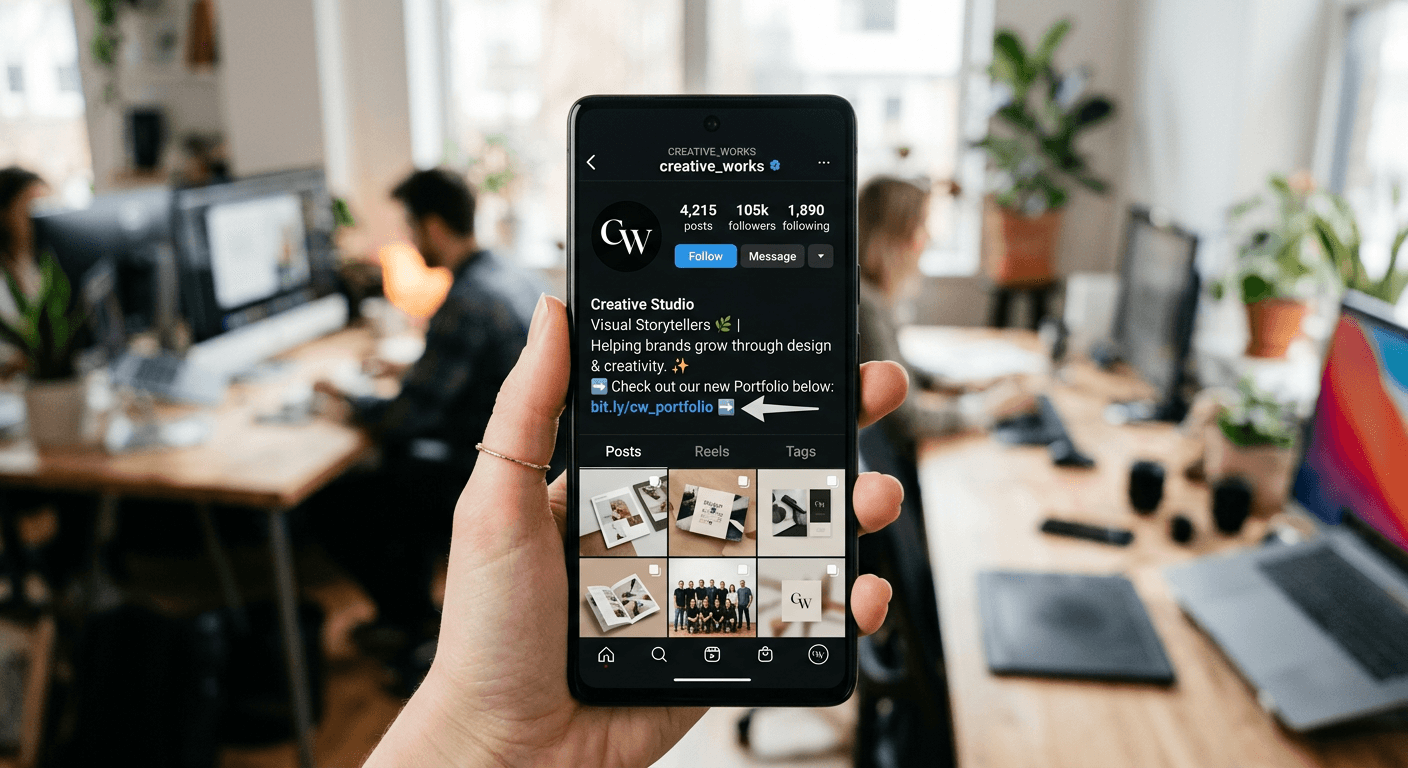
Optimising your social presence requires a strategic approach to profile navigation, particularly when managing how followers transition from your content to your external destinations. Understanding how to put a link in instagram bio is a fundamental skill for creators and businesses alike, as it acts as the primary gateway for driving traffic to your websites, portfolios, or other social channels. By mastering the placement and management of your digital footprint, you ensure that every engagement has a clear path toward conversion.
Quick Summary
Managing your Instagram presence involves directing followers to external content via a single, clickable URL in your profile or multiple links through aggregation tools. You can easily navigate profile discovery by understanding link placement, profile URL retrieval, and cross-platform integration to maximise your reach and audience engagement effectively.
- Use the dedicated bio field to drive traffic to external websites.
- Leverage link-in-bio tools to host multiple URLs in one location.
- Retrieve your unique profile link to share your account across different platforms.
- Cross-promote content by integrating your TikTok presence with Instagram.
Table of Contents
- Quick Summary
- How to Put a Link in Your Instagram Bio
- Retrieving and Sharing Your Profile URL
- Managing Multi-Link Strategies
- Cross-Platform Integration Strategies
- Common Pitfalls and Troubleshooting
- FAQ
- Recommended Reads

How to Put a Link in Your Instagram Bio
To place a destination URL on your profile, navigate to your account page and select the 'Edit Profile' button. Within the editing interface, you will see a specific field labelled 'Add Link' or 'Website'. This is the only location where a standard, clickable link can be placed directly in the main body of your profile information. Input your URL carefully, ensuring it is a full address, including the 'https://' prefix, to ensure it remains a functional hyperlink for your visitors.
Once saved, this link will appear directly below your bio text and above your content grid. It is the most valuable piece of digital real estate for driving external engagement. If you are unsure about the best practices for setting up your profile, you can review the official what is kode link guide to understand how to consolidate your online identity into a single professional destination.
Retrieving and Sharing Your Profile URL
If you need to know how to get instagram profile link to share with others, the process differs depending on your device. On mobile, the easiest method is to visit your profile, tap the share icon, or use the 'Copy Link' option if available in your version of the application. Alternatively, you can navigate to your profile in a web browser, highlight the URL in the address bar, and copy it directly to your clipboard.
Understanding how to copy instagram profile link effectively allows you to direct users from email signatures, newsletters, or other messaging apps straight to your content feed. Always verify that the copied link points to your specific username to avoid broken paths that may occur if you are logged into a business account or using a custom handle management system.
Managing Multi-Link Strategies
Since Instagram limits you to a single primary link in your bio, many power users employ link-in-bio services. These tools act as a landing page or directory, allowing you to house multiple URLs under one master address. By using a custom domain for these links, you maintain brand consistency and professionalism across all your social touchpoints.
When implementing these strategies, ensure your landing page is mobile-optimised. Most visitors will be clicking your link from their phones; therefore, the layout must load quickly and present the most important calls-to-action at the very top. Overcomplicating the landing page with too many links can result in analysis paralysis, reducing the likelihood of a conversion.
Pro Tip: Update your bio link frequently to reflect your current campaigns or newest content releases to maintain a high click-through rate.
Cross-Platform Integration Strategies
Many users often ask, can you link tiktok to instagram? The answer is a definitive yes. Within your TikTok profile settings, there is a dedicated 'Social' section that allows you to link your Instagram account. Once connected, a small Instagram icon will appear on your TikTok profile, allowing followers to easily jump between your platforms.
Integrating your accounts in this manner creates a seamless content ecosystem. By directing traffic between platforms, you leverage the strengths of each. For instance, you might use Instagram for high-fidelity portfolio shots and TikTok for behind-the-scenes video content. To get started with managing your business identity across these channels, visit the business resources page to see how you can unify your tracking and management workflows.
Common Pitfalls and Troubleshooting
One of the most frequent mistakes is using a URL that is too long or messy, which looks unprofessional and is prone to errors when copied. Always use URL shorteners if you are posting raw links in captions or comments, but for the bio, aim for a clean, branded address. Furthermore, check your link periodically to ensure the destination site is still active and that your site's analytics are tracking the referral traffic correctly.
Another issue is the misconception regarding profile views. Users often ask, is instagram adding profile views? Currently, Instagram does not provide a public view counter for your profile page. If you see third-party applications claiming to offer this data, exercise extreme caution. Most of these are spam or malicious tools that could compromise your account security or lead to data harvesting.
FAQ
1. Can I have more than one link in my Instagram bio? Technically, Instagram allows for multiple links in the bio section natively. However, for a cleaner look, most professionals use a third-party aggregation service to host multiple links on a single landing page.
2. Where is link in bio on instagram located? It is located directly underneath your biography section and above your profile grid. It is the only place in the bio area that supports a functional, clickable hyperlink.
3. Why is my link in bio not working? Check that you have included the full URL, including 'https://'. If it is still not working, the destination website may be blocked or the link may have been entered incorrectly.
4. Is it safe to use third-party apps for profile analytics? Only use reputable third-party tools that are transparent about their privacy policies. Avoid any app that asks for your Instagram password or promises features that sound too good to be true.