Mastering Your Link in Bio Instagram Setup for 2026
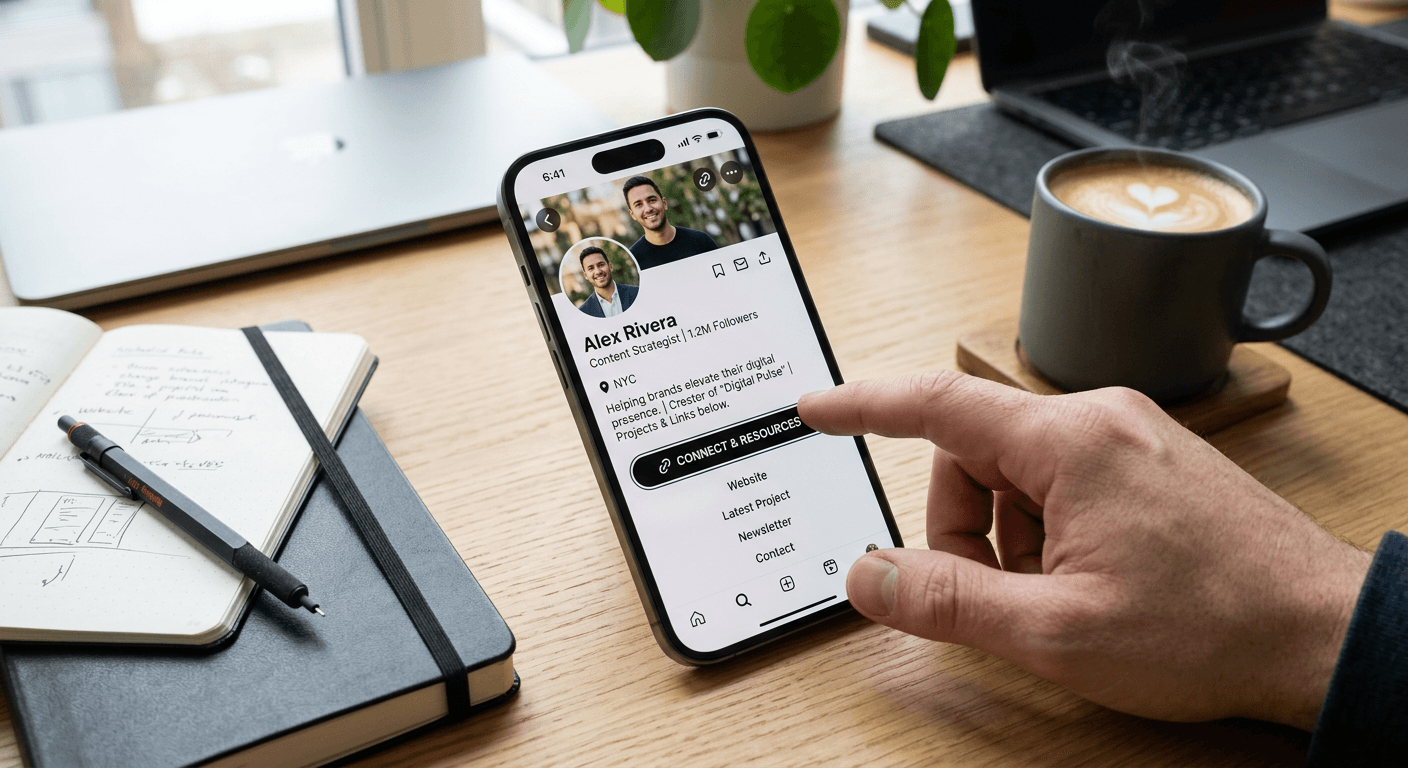
When you publish a promotional reel and instruct viewers to tap your profile, you have roughly three seconds before they abandon the journey. If they navigate to your page and encounter an unclickable text string, a broken routing page, or a URL that forces a secondary login, the engagement metric registers a profile visit but the conversion window shuts instantly. Operating a reliable link in bio instagram setup requires more than just pasting a web address into a form field. It demands a rigorous understanding of mobile webview containers, tracking parameter hygiene, and cross-platform application behaviour to ensure that traffic actually reaches your intended destination.
Quick Summary
A profile routing setup consolidates external traffic from a social media application into a single, structured landing environment. By replacing the native single-URL constraint with an optimised redirection page, publishers can capture analytics, preserve user sessions, and maintain multiple active campaigns simultaneously.
- The native application's internal browser strips cookies and active login sessions, necessitating specific URL formatting to force native browser execution.
- Pasting target URLs into the biography text field instead of the dedicated external link menu renders them unclickable.
- Appended tracking parameters from copied application URLs frequently cause cache poisoning and broken analytics loops.
- Deep linking protocols are required to route traffic successfully between competing social media applications.
Table of Contents
- Why a single link in bio instagram strategy limits your reach
- Native configuration workflows demand strict URL hygiene
- Where the interface design hides your redirection
- Common Pitfalls & Troubleshooting
- FAQ
- Recommended Reads
Why a single link in bio instagram strategy limits your reach
The architecture of the platform deliberately restricts external navigation to keep users inside the application's ecosystem for as long as possible. The primary mechanism for this restriction is the single external URL allowance on user profiles. If you operate an e-commerce storefront, a weekly podcast, and a newsletter, rotating a single raw URL every time you release new content guarantees that older posts will immediately direct users to irrelevant pages. A user watching a reel from three days ago will click through to find a product link that has already been replaced by a newsletter subscription prompt.
Beyond the logistical friction of constant updates, direct raw URLs suffer heavily from the application's internal webview container. When a user taps a standard HTTPS link, it does not open Safari or Chrome. It opens an embedded browser within the social application itself. This environment routinely blocks third-party cookies, severs active login sessions, and prevents native payment integrations like Apple Pay from initiating. By configuring a commercial routing page instead of a direct product link, publishers can deploy bridging pages that offer "Open in Browser" prompts, protecting the transaction flow and preventing cart abandonment caused by login friction.
Native configuration workflows demand strict URL hygiene
The technical execution of inserting a redirect requires precision. Small formatting errors in the configuration phase frequently lead to silently broken links that you will only discover by monitoring traffic drop-offs.
1. Isolate your exact account destination
Before modifying any public-facing settings, you must acquire the clean version of the target destination. This becomes complicated when dealing with application-generated URLs. If a partner asks how to get instagram profile link data to direct traffic toward a specific account, the immediate instinct is to open the application, view the profile, and tap the "Copy Profile URL" function from the native menu.
However, the application automatically appends extensive tracking parameters to the end of the URL (typically beginning with ?igshid=). These parameters are designed to track the specific user session that generated the link. When you rely on these generated strings and instruct a colleague on how to copy instagram profile link parameters for use in an external campaign, you are hardcoding your own session identifier into the public domain. This pollutes analytics platforms, as every external click appears to originate from a single shared session, and can occasionally trigger security flags that result in the link being classified as suspicious. Always strip any string following the question mark in the URL before deploying it as a destination.
2. Format the target URL for mobile execution
The environment where the link executes dictates how it must be formatted. If your target destination is an external application rather than a static webpage, a standard HTTPS prefix will force the user into a webview login screen rather than launching the application already installed on their device.
Understanding how to get your instagram link into a format that triggers deep routing requires knowledge of URI (Uniform Resource Identifier) schemes. While modern operating systems attempt to automatically deep-link standard web URLs to their corresponding applications, this handover frequently fails inside embedded browsers.
Practical rule: Always route application-specific traffic through a dedicated landing page that executes deep-linking protocols on the server side, rather than relying on the social platform's internal browser to negotiate the handover to another application.
This intermediary step guarantees that users are pushed out of the restricted internal browser and into their default system browser or the target native application, preserving their session state and login credentials.
3. Inject the formatted routing into the application settings
The mechanical process of applying the URL is straightforward but highly prone to human error due to interface clustering. To proceed, navigate to your profile interface, select the "Edit Profile" command, locate the "Links" subsystem, and select "Add external link".
The mistake publishers make here is fundamentally misunderstanding the interface hierarchy. When staff members research how to put a link in instagram bio, they frequently interpret the term literally. They open the "Edit Profile" screen and paste the HTTPS string directly into the 150-character "Bio" text field. The platform explicitly disables hyperlinking within this text container. The result is a dead string of text that mobile users cannot even highlight to copy.
The process of how to add link to instagram bio must occur strictly within the designated "Links" menu pathway. When you successfully add link to instagram bio through this dedicated module, the application registers the string, validates the domain against its internal blocklist, and renders it as an interactive, highlighted element beneath the text description. To further support this integration, applying profile optimisation techniques to the surrounding text ensures viewers are actively directed toward the clickable area.
4. Connect external video platforms to your matrix
Managing traffic between competing video ecosystems requires specific technical handling. A common architectural question is can you link tiktok to instagram without triggering penalty algorithms or encountering redirect loops.
The challenge lies in how both platforms fiercely guard their exit traffic. If you paste a raw video URL from one platform into the profile of another, the destination platform will frequently serve a heavily degraded web interface, deliberately hiding comments and forcing a persistent "Open in App" banner that often fails to execute. Deploying an Instagram link management tool to serve as a neutral bridging layer prevents this degradation. By pointing the primary profile to a neutral domain, and then mapping the video destination from there, the routing executes cleanly in the device's native browser, which smoothly hands the user over to the target video application without the aggressive interstitial blocks.
Where the interface design hides your redirection
The visibility of your configured routing changes dynamically based on the device accessing it and the length of your text description. Determining where is link in bio on instagram requires understanding the platform's responsive truncation rules.
If your text description exceeds four lines, the interface automatically truncates the display and hides the remaining content behind a "more" expansion toggle. Crucially, the external routing module sits at the very bottom of this hierarchy. If a user asks where to find link in bio on instagram on a profile with maximum-length text, the answer is often that it is entirely invisible upon initial load. The user must actively expand the text to reveal the clickable element.
To prevent this interface collision, restrict your text description to three brief lines. This ensures the routing module remains permanently anchored "above the fold" regardless of whether the user is viewing the profile on a compact mobile device or a larger tablet screen. Furthermore, if you configure multiple native links, only the first one displays prominently; the others are aggregated behind a generic "and 2 others" text link, drastically reducing their click-through rate. Relying on a single, comprehensive routing page circumvents this aggregation trap entirely.
Common Pitfalls & Troubleshooting
Even with correct configuration, environmental variables can break the navigation pathway. Diagnosing these failures requires looking past the generic error screens to identify the root cause.
Symptom: The link renders as standard black text instead of a clickable string. This indicates a container misalignment. The publisher has pasted the URL into the public text biography rather than the dedicated external routing menu. Fix: Delete the text from the biography field, navigate to "Edit Profile", select the "Links" subsection, and insert the URL into the specific "External Link" input field.
Symptom: Users report being asked to log in again when clicking through to a storefront. This is the classic webview trap. The internal browser has isolated the session, ignoring the user's default browser cookies and active logins. Fix: You must force the link out of the internal webview. Update the routing destination to a bridging service or script that explicitly prompts the user to open the page in their system's native Safari or Chrome browser.
Symptom: The routing returns a blank white screen or a 404 error, despite the URL working on desktop. This failure is typically caused by malformed tracking parameters or restrictive domain policies. The platform's internal security scanner occasionally blocks complex, parameter-heavy URLs, or fails to resolve domains lacking strict SSL certificates. Fix: Strip all UTM parameters and tracking strings to test the raw destination URL. If it resolves cleanly, the issue lies in the parameter formatting. Alternatively, establishing a branded custom URL with strict SSL validation often bypasses the internal security scanner's false positives by presenting a clean, trusted domain name.
Symptom: Updating the URL returns an immediate 'Action Blocked' popup. This occurs when the account triggers a rate limit by altering the profile URL too many times within a 24-hour window, a behaviour the platform associates with automated spam networks. Fix: Cease all profile edits immediately. Attempting to force the change will extend the block. Wait a full 24 to 48 hours before attempting to update the external link field again.
FAQ
Can I track the exact number of users who click my profile URL? Yes, but native analytics only provide aggregate click volumes. To capture granular data regarding device types, geographic locations, and referrers, the traffic must be routed through a dedicated analytics dashboard or a parameter-tracked bridge page.
Why does my third-party routing page display a security warning? The platform's automated scanners regularly flag new or heavily redirected domains. Ensuring your target URL resolves over a strict HTTPS connection and avoiding excessive server-side redirect chains minimises the risk of triggering these automated security blocks.
Do I need a business account to add an external link? No. The ability to insert an external destination is available to all account types, including personal, creator, and business tiers. However, business and creator accounts gain access to the native analytics modules required to measure the click-through performance.
How often should I update the destination URL? Direct updates to the platform's native link field should be minimised to avoid rate-limiting algorithms. The optimal strategy is to update the native link once to a static bridging page, and then update the individual destinations dynamically on that external page.